Alright, so you’re a sysadmin, or maybe you’re looking to get into it. It’s a job that’s always changing, and staying on top of things means having the right gear. Think of it like a chef needing good knives or a mechanic needing a solid set of wrenches. For 2025, the tech world keeps moving fast, and a sysadmin’s toolkit needs to keep up. We’re talking about making sure everything runs smoothly, keeping things secure, and not getting bogged down by repetitive tasks. This guide is about the tools for sysadmin pros that can help make that happen.
Table of Contents
- Essential Monitoring Tools For System Administrators
- Automation And Scripting Tools For Enhanced Efficiency
- Security And Access Management Tools
- Cloud And Infrastructure Management Tools
- Remote Access And Collaboration Tools
- Backup And Disaster Recovery Solutions
- Wrapping It Up
- Frequently Asked Questions
Key Takeaways
- Monitoring tools are key for watching system health and catching problems early.
- Automation and scripting tools save time by handling repetitive jobs.
- Security tools are a must to protect against growing cyber threats.
- Cloud and infrastructure tools help manage modern IT setups.
- Backup and recovery solutions are vital for keeping data safe and systems running after issues.
Essential Monitoring Tools For System Administrators
Keeping an eye on your systems is pretty much job number one for any sysadmin. If things go sideways, you need to know about it yesterday, not tomorrow. That’s where monitoring tools come in. They’re like your digital eyes and ears, constantly checking the pulse of your servers, networks, and applications. Without them, you’re basically flying blind, hoping for the best.
Real-Time Performance Tracking
This is all about seeing what’s happening right now. We’re talking CPU usage, memory consumption, disk I/O, network traffic – the whole nine yards. Knowing these numbers in real-time helps you spot slowdowns before they become full-blown outages. It’s like watching a doctor’s monitor during surgery; you need to see those vital signs constantly. Tools that offer granular, real-time data are gold.

Proactive Alerting And Notifications
Okay, so you’re tracking performance, but what happens when something starts looking iffy? That’s where alerts come in. Good monitoring systems don’t just show you data; they tell you when data crosses a line. You can set thresholds for almost anything – a server hitting 90% CPU, a critical service failing, or disk space getting low. Getting these alerts quickly means you can jump on a problem before users even notice. It’s way better than waiting for a flood of support tickets.
- CPU Usage: Get notified if a server’s processor is maxed out for too long.
- Memory Leaks: Detect applications consuming more RAM than they should over time.
- Network Latency: Be alerted if connections to key services become sluggish.
- Disk Space: Receive warnings before drives fill up completely.
Log Management And Analysis
Logs are the diaries of your systems. They record everything that happens, from successful logins to error messages. Sifting through them manually is a nightmare, especially when you have dozens or hundreds of servers. Log management tools collect all these logs in one place, making them searchable and sortable. This is super helpful for figuring out why something broke after the fact, or for security audits. Think of it as having a super-powered search engine for all your system’s activities.
Analyzing system logs is often the key to understanding complex issues. Without a centralized and searchable log system, troubleshooting can become a time-consuming and frustrating process, delaying resolution and impacting system availability.
Customizable Dashboards And Visualizations
Raw data is one thing, but seeing it in a way that makes sense is another. Customizable dashboards let you build a view of your IT environment that matters most to you. You can pull in data from different sources – servers, networks, applications – and display it using graphs, charts, and gauges. This visual approach makes it much easier to grasp the overall health of your systems at a glance. It’s like having a control panel for your entire digital world. Many tools, like NinjaOne, offer flexible dashboard options to suit different needs.
| Metric | Threshold | Alert Severity |
|---|---|---|
| CPU Usage | > 85% | Warning |
| Disk Free Space | < 10GB | Critical |
| Network Traffic | > 1 Gbps | Info |
Automation And Scripting Tools For Enhanced Efficiency
In the fast-paced world of system administration, especially as we move through 2025, wasting time on repetitive tasks is a sure way to fall behind. Automation and scripting tools are no longer just nice-to-haves; they’re absolutely necessary for keeping systems running smoothly and for freeing up your valuable time. Think about all those little things you do every day – checking logs, updating configurations, deploying software. These can all be handled by scripts, letting you focus on bigger, more complex problems.
Streamlining Repetitive Tasks
This is where automation really shines. Instead of manually logging into each server to perform the same action, you can write a script that does it for you. This not only saves a massive amount of time but also cuts down on human error. Imagine deploying a new application across fifty servers. Doing this manually would take hours, if not days, and the chance of missing a step is high. A well-written script, however, can complete the task in minutes with perfect consistency. Tools like AttuneOps are designed to help sysadmins use their existing scripting skills, like Bash or PowerShell, and apply them in a structured way across multiple machines without needing a dedicated automation server.
Orchestrating Complex Workflows
Beyond simple task automation, scripting allows for the orchestration of complex workflows. This means setting up a series of tasks that depend on each other. For example, you might have a script that first checks server health, then backs up critical data, and only if both steps are successful, proceeds to deploy a software update. This kind of multi-step process management is vital for maintaining system stability, especially during critical operations. It brings a level of control and predictability that manual processes simply can’t match.
Leveraging Scripting Languages
Choosing the right scripting language is important. Python is a popular choice due to its readability and extensive libraries, making it great for everything from simple file manipulation to complex API interactions. Bash scripting remains a go-to for Linux environments for quick tasks and system administration commands. PowerShell is the equivalent for Windows systems, offering deep integration with the operating system. The key is to pick a language you’re comfortable with and that fits the task at hand. Many sysadmins find that being proficient in at least one or two of these languages opens up a world of possibilities for automation.
Configuration Management Automation
Keeping systems configured consistently is a major challenge. Configuration management tools, often powered by scripting, help define and maintain the desired state of your infrastructure. Tools like Ansible, Chef, or Puppet allow you to define your server configurations in code. This means you can version control your configurations, roll back changes easily, and ensure that all your servers are set up identically. This is a game-changer for maintaining security and compliance across your environment. This approach drastically reduces the risk of configuration drift, a common source of system instability and security vulnerabilities.
Automation isn’t just about making things faster; it’s about making them more reliable and repeatable. When you automate a process, you’re essentially creating a blueprint that can be executed perfectly every single time, removing the guesswork and the potential for human error that plagues manual operations.
Security And Access Management Tools
Keeping your systems and data safe is a big deal, right? In 2025, it’s not just about having a firewall; it’s about a whole layered approach. We’re talking about tools that watch for trouble, control who gets in, and make sure everything is locked down tight.
Endpoint Detection And Protection
Think of this as the digital security guard for every single device connected to your network – laptops, desktops, servers, even phones. These tools are designed to spot suspicious activity before it turns into a full-blown breach. They look for weird file changes, unusual network traffic, or processes that just don’t seem right. The goal is to catch threats early, often before they can do any real damage. It’s like having an antivirus on steroids, constantly scanning and reporting back.
Account Access Management Solutions
Who has access to what? That’s the million-dollar question. These tools help you manage user accounts and permissions. Instead of everyone having the keys to the kingdom, you can set up specific roles and grant access only to what’s needed for a job. This cuts down on the risk of accidental or intentional misuse of sensitive data. Think of it as a digital bouncer, checking IDs and making sure people are only in the areas they’re supposed to be.
- Centralized User Management: Manage all user accounts from one place.
- Role-Based Access Control (RBAC): Assign permissions based on job functions.
- Multi-Factor Authentication (MFA): Add extra layers of security beyond just a password.
- Automated Onboarding/Offboarding: Quickly grant or revoke access when employees join or leave.
Network Security Monitoring
This is about keeping an eye on the traffic flowing in and out of your network. It’s like having security cameras all over your building, but for data. These tools can detect unusual patterns, like a sudden surge of data leaving the network, or connections to known bad IP addresses. They help you understand what’s happening on your network in real-time, so you can react quickly if something looks off.
Network security monitoring tools are vital for spotting unauthorized access attempts and identifying potential data exfiltration before it becomes a major incident. They provide visibility into network activity that is otherwise hidden.
Vulnerability Assessment Tools
No system is perfect. These tools are like a security audit for your infrastructure. They scan your systems, applications, and networks for known weaknesses or misconfigurations that attackers could exploit. Finding these vulnerabilities before the bad guys do gives you a chance to fix them. It’s a proactive way to strengthen your defenses.
| Tool Category | Primary Function |
|---|---|
| Vulnerability Scanners | Identify known security weaknesses. |
| Penetration Testing | Simulate attacks to find exploitable flaws. |
| Configuration Auditing | Check for misconfigurations and policy violations. |
Cloud And Infrastructure Management Tools
Managing today’s complex IT environments means keeping a close eye on everything from your on-prem servers to your cloud services. It’s a big job, and having the right tools makes a huge difference. We’re talking about making sure your systems are running smoothly, scaling when you need to, and keeping everything secure.
SaaS Management Platforms
These platforms are becoming super important because so many teams are using a bunch of different software-as-a-service apps. A SaaS management platform helps you see exactly what apps your company is using, who’s using them, and how much you’re spending. It’s like having a central dashboard for all your cloud-based software. This helps you avoid paying for licenses nobody uses and makes sure you’re following any rules about software use. Tools like Zluri can give you a clear picture of your entire SaaS landscape.
Cloud Service Management
When you’re running things in the cloud, whether it’s AWS, Azure, or Google Cloud, you need ways to manage those resources effectively. Cloud service management tools help you keep track of your cloud spending, monitor performance, and automate tasks. They can help you spot when costs are getting out of hand or when a service isn’t performing as it should. This area is all about making sure your cloud infrastructure is efficient and cost-effective.
Containerization And Orchestration
Containers, like those managed by Docker, have changed how we deploy applications. They package up code and its dependencies so it runs reliably anywhere. But managing lots of containers can get complicated fast. That’s where orchestration tools like Kubernetes come in. They automate the deployment, scaling, and management of containerized applications. It’s a big step up in managing modern applications, making them more portable and easier to scale up or down as needed. You can find tools that help with this whole process, making it less of a headache.
IoT Device Management
If your organization is getting into the Internet of Things (IoT), managing all those connected devices is a whole new challenge. IoT device management tools help you keep track of devices, update their software, monitor their status, and secure them. Think about smart sensors, connected machinery, or even smart office equipment. Keeping all these devices running and secure requires specialized tools to handle the scale and variety.
Keeping infrastructure running smoothly in 2026 involves a mix of cloud-native solutions and smart management practices. It’s not just about servers anymore; it’s about the entire ecosystem of services and devices that keep your business moving. Having visibility and control across all these areas is key to preventing problems before they start and responding quickly when they do.
Remote Access And Collaboration Tools
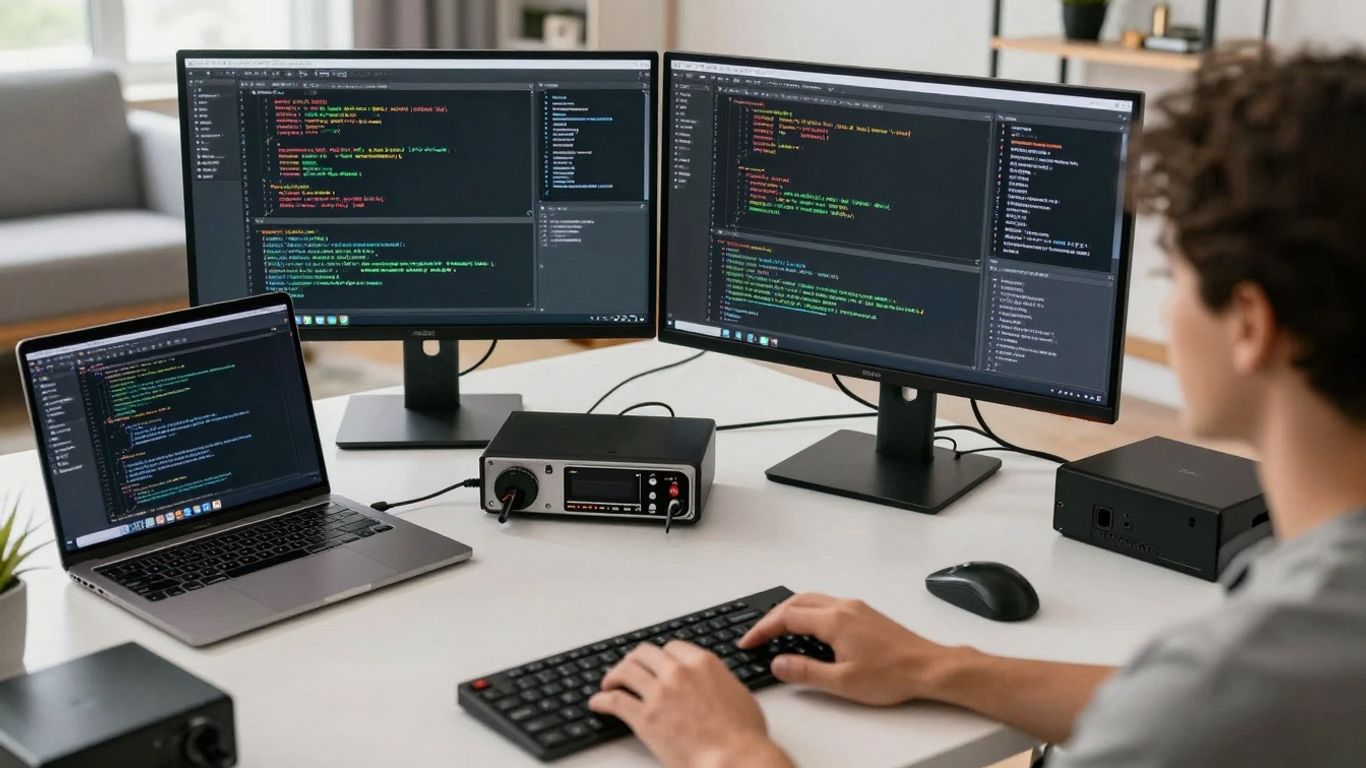
Being able to connect to systems from afar is a big deal for sysadmins. It’s not just about convenience; it’s about being able to fix problems quickly, no matter where you are. This section looks at the tools that make that happen, plus how teams can work together better when they’re not in the same room.
Secure Remote Desktop Solutions
Remote desktop software lets you take control of another computer as if you were sitting right in front of it. This is super handy for helping users out, doing maintenance, or just accessing files you left on your work machine. Think of it like having a teleportation device for your hands. Tools like Splashtop and BeyondTrust Remote Support are popular choices. They offer secure connections, file transfer, and sometimes even features like screen sharing or annotation for collaborative troubleshooting. It’s important to pick something that balances ease of use with strong security, because you don’t want just anyone hopping onto your systems.
Here’s a quick look at how some of these tools stack up:
| Tool Name | Overall Rating | Ease of Use | Security Features | Collaboration |
|---|---|---|---|---|
| Splashtook | 4.9 | 9.7 | High | Yes |
| RemotePC by iDrive | 4.7 | 9.5 | Good | Yes |
| BeyondTrust Remote Support | 4.7 | 8.7 | Very High | Yes |
| AnyDesk | 4.7 | 9.3 | Good | Limited |
Command-Line Interface Utilities
While graphical interfaces are nice, the command line is often where the real power lies for sysadmins. Tools like Mobaxterm bundle a bunch of command-line protocols (SSH, RDP, FTP) into one place, making it easier to manage multiple remote systems without switching between different applications. You can run scripts, check logs, and configure settings directly. It’s fast, efficient, and great for automating tasks. Having a solid command-line tool means you can get things done quickly, especially when you’re dealing with servers that might not even have a graphical interface.
The command line might seem intimidating at first, but it’s a sysadmin’s best friend for speed and control. Mastering a few key utilities can save you hours of clicking around in graphical interfaces.
Team Communication Platforms
When you’re working on complex issues or coordinating changes, clear communication is key. Platforms like Slack have become indispensable for IT teams. They allow for real-time chat, organized channels for different projects or topics, and integrations with other tools you use daily. This means you can quickly ask a colleague a question, share a log file, or get an update on a system status without having to send a bunch of emails. It keeps everyone in the loop and helps resolve problems faster.
Key features to look for:
- Dedicated channels for specific projects or teams.
- Integration with other IT tools (ticketing systems, monitoring dashboards).
- Searchable history to find past conversations and information.
- Ability to share files and code snippets easily.
File Transfer And Management
Moving files securely and efficiently between systems is another common task. Whether it’s uploading configuration files, downloading logs, or sharing large datasets, you need reliable tools. SFTP (Secure File Transfer Protocol) clients are standard for secure transfers. Tools like FileZilla are widely used, but many remote access solutions also include built-in file transfer capabilities. For larger or more complex file management needs, dedicated solutions might be necessary, but for day-to-day operations, these integrated or common utilities usually do the trick.
Backup And Disaster Recovery Solutions

When things go sideways, and they will, having a solid backup and disaster recovery plan isn’t just smart, it’s absolutely necessary. We’re talking about protecting all the hard work and data your systems hold. It’s not just about having copies of files; it’s about getting back up and running quickly when the worst happens.
Automated Data Backup
Manual backups are a thing of the past, and frankly, they’re too risky. Automated backup tools take the guesswork out of it. You can set them to run on a schedule – daily, hourly, whatever makes sense for your data’s importance. These tools often come with features like deduplication and compression, which means you’re not using up a ton of storage space. Plus, encryption keeps your backed-up data safe from prying eyes. Think of tools like Veeam, which is great for virtual environments, or Barracuda Backup, which handles both physical and virtual setups and plays nice with cloud storage.
System Recovery Planning
Just having backups isn’t enough. You need a plan for how you’ll actually use them. This means documenting the steps to restore systems and data. What’s the first thing you bring back online? How long should it take? What are the dependencies? Having a clear, written plan, and practicing it, is key. It helps you know exactly what to do when a server crashes or ransomware hits, instead of scrambling in a panic.
A well-rehearsed disaster recovery plan can mean the difference between a minor hiccup and a business-ending catastrophe. It’s about having the procedures in place before you need them.
Cloud Backup Integration
Using the cloud for backups is a game-changer. It means your data is stored off-site, so even if your physical location is destroyed, your backups are safe. Many modern backup solutions integrate directly with cloud providers like AWS, Azure, or Google Cloud. This makes it easy to send your backups to the cloud and restore them when needed, often without needing a whole lot of extra hardware on your end. It adds a strong layer of protection to your overall backup strategy.
Wrapping It Up
So, we’ve gone over a bunch of tools that can really help sysadmins out in 2026. From keeping an eye on things with monitoring software to making sure everything’s locked down tight with security tools, and even automating those repetitive tasks that eat up your day – it’s all about making your job easier and your systems run smoother. Picking the right gear can seem like a lot, but remember, it’s about finding what works best for your specific setup and team. Keep exploring, keep learning, and you’ll be well on your way to sysadmin success.
Frequently Asked Questions
What are the most important tools for a system administrator in 2026?
In 2025, system administrators need tools that help them watch over systems, make tasks easier with automation, keep things safe, manage cloud stuff, connect remotely, and have plans for when things go wrong. Think of tools for watching performance, sending alerts, managing logs, making dashboards, automating tasks, handling security, managing cloud services, and backing up data.
Why is monitoring important for system administrators?
Monitoring is like a doctor checking a patient’s vital signs. It helps sysadmins see how well their computer systems and networks are doing in real-time. This way, they can catch problems early, fix them before they cause big issues, and make sure everything runs smoothly.
How does automation help system administrators?
Automation is super helpful because it lets sysadmins set up computers to do repetitive jobs by themselves. This saves a lot of time and reduces the chance of human errors. It’s like having a robot assistant for tasks like installing software or updating systems.
What kind of security tools are essential for sysadmins?
Security tools are like digital bodyguards. Sysadmins need tools to protect computers from viruses and hackers (endpoint protection), manage who can access what (account management), watch network traffic for suspicious activity, and find weaknesses before bad guys do (vulnerability assessment).
Are cloud tools important for system administrators now?
Yes, absolutely! Many companies use cloud services, so sysadmins need tools to manage those services, like platforms for handling software as a service (SaaS), managing cloud resources, and working with container technologies like Docker.
What’s the point of backup and disaster recovery tools?
These tools are like an emergency plan. They make sure that important data is copied regularly (backup) so that if something bad happens, like a computer crash or a cyberattack, the data can be restored. Disaster recovery planning ensures that the whole system can get back up and running quickly.